AI that explains your lecture slides, page by page
Owlslide is an AI study assistant built for lecture slides. Upload a PDF deck in almost any language, and every page gets its own explanation that makes the ideas on that page clear.
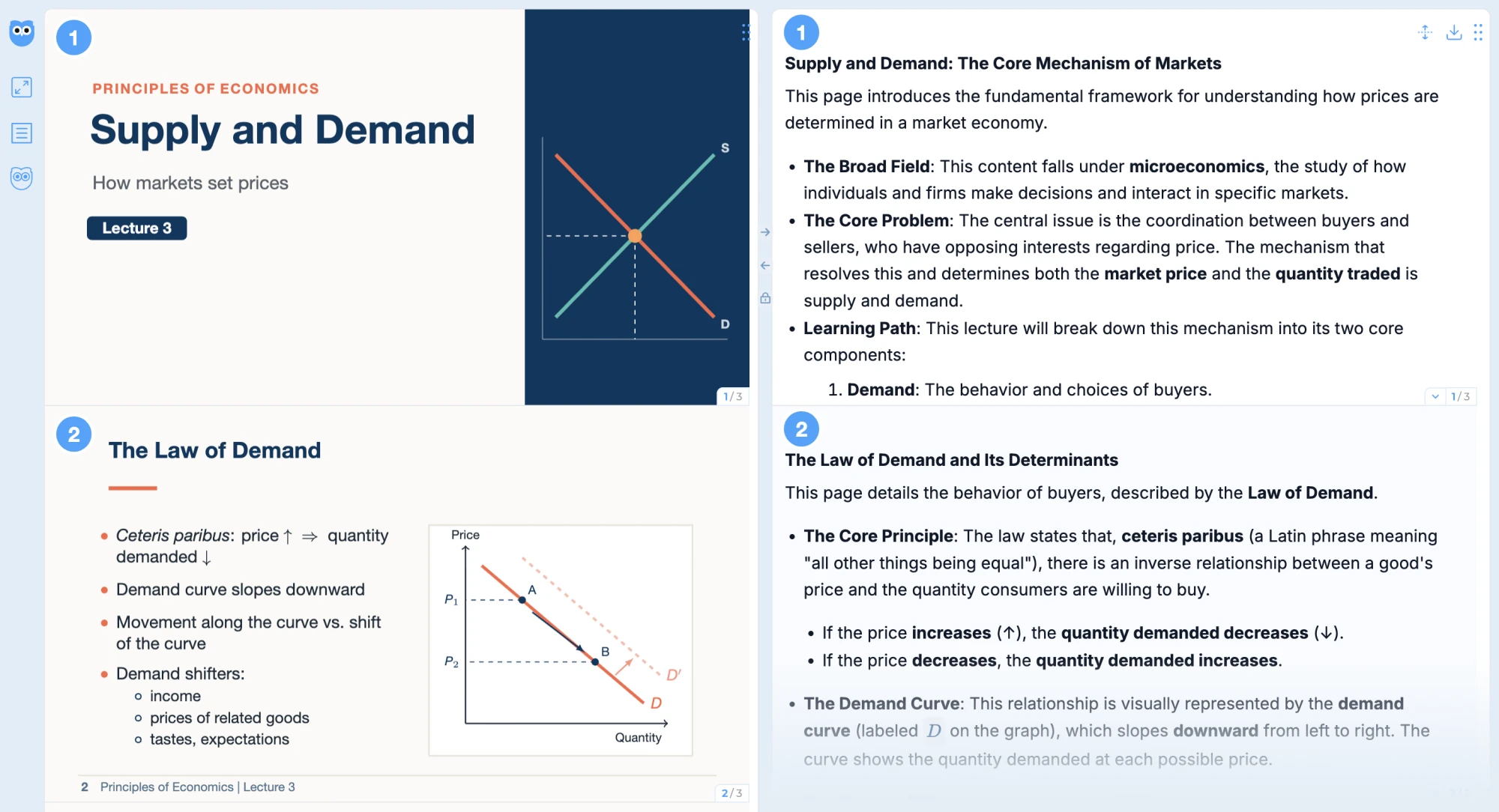
How Owlslide helps you learn your slides
An explanation for every page
Once you upload, every page gets an explanation automatically. No need to copy slides into a chat tool one page at a time.
Explanations, not just translations
Slides often show only a few keywords. Owlslide explains the ideas behind each page in plain language, much like a teacher would.
Slides and explanations together
Read them side by side or stacked, in sync, without switching between windows.
Summaries and questions
Get a summary of the whole deck to review key points, and open the chat whenever a concept is unclear.
How it works
- 1Upload your lecture slides as a PDF.
- 2Choose your output language: English, Chinese, or French.
- 3Open the deck and read each page next to its explanation.
- 4Ask in the chat when something is unclear, and use the summary to review.
Good for
Catching up on a lecture you missed.
Slides that are too brief to make sense on their own.
Reviewing a whole term of slides before an exam.
Studying from slides in a language you are still learning.
Good to know
- New users can try 10 pages for free.
- PDF files up to 100 pages and 50MB. If your file is longer, a cropping tool lets you pick a page range and continue.
- Explanations in English, Chinese, or French.
- Works in the browser on computers and iPads.